Buy anything from 5,000+ international stores. One checkout price. No surprise fees. Join 2M+ shoppers on Desertcart.
Desertcart purchases this item on your behalf and handles shipping, customs, and support to Samoa.
🎯 Master your entertainment universe with one remote to rule them all!
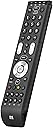
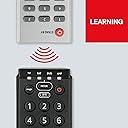
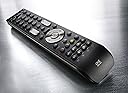
The One For All Essence 4 universal remote lets you effortlessly control up to four devices—TV, Set Top Box, DVD/Blu-ray player, and audio systems. Featuring a lightning-fast 3-step setup, an automatic Combi Control button for unified operation, and a learning function to customize commands, it supports all major brands and works up to 10 meters away. Compact, reliable, and backed by a 2-year warranty, it’s the ultimate upgrade for your home entertainment setup.


| Brand | One For All |
| Colour | Black |
| Compatible devices | DVD/Blu-ray Player, Set Top Box |
| Connectivity technology | Infrared |
| Max number of supported devices | 4 |
| Special feature | Universal |
A**R
Extremely user friendly and easy to set up.
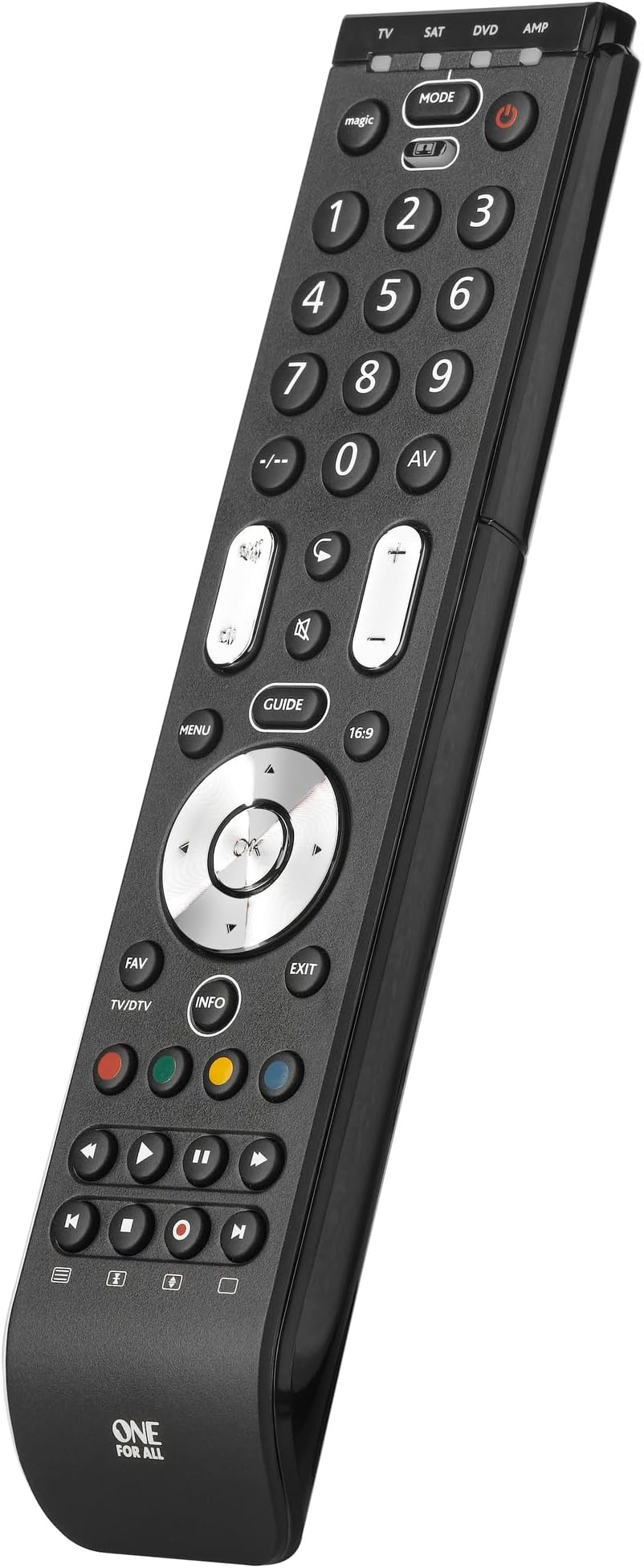
Excellent remote control. Easy to program and easy to use. I have an old, ten year old flat screen Panasonic TV in the bedroom with a recently acquired new BT Youview Freeview box plugged into the TV to upgrade my viewing experience. My old TV can no longer be updated. I was sceptical that the remote control wouldn't work or pair with both devices as I've had a couple of similar ones over the years and they've all come with their glitches so I bought a used one for half the price rather than risk wasting £20 on a new one. I was pleasantly surprised when this remote paired with both old and new and all functions working as they should. Not only does it work, it looks and feels nice too with enlarged 'GUIDE' and 'INFO' buttons plus fancy metal volume, channel, directional and 'OKAY' buttons which gives it a touch of class. It can pair itself to a device by using the pairing button and a simple procedure by pointing it at the device you want it to pair with saving you time and hassle tapping in endless codes. It Couldn't be simpler. Mine paired with both devices in under 30 seconds with all remote control buttons functioning as they should. There's four separate control channels which are easily flicked between at the press of a single button meaning you can control the TV, media box and two other remote devices such as a DVD player etc. I bought mine used/excellent condition for under a tenner and it arrived on time and in spotless condition so much so, I wouldn't know the difference between the remote I received and a brand new one and all for half the price... Yet another plus. The layout of the control buttons have obviously been designed by someone who actually uses remote controls as all the buttons that an avid TV watcher seem to use the most are all within an inch of your thumb once you pick up the remote. No 'thumb stretching' to reach that red button or the mute button. All the popular buttons are central/bottom of the remote basically, where you hold it. Everything at the top half of the remote, the thumb stretch are the numbered key pad, device channel selector, sleep button and a couple of other buttons that you'll probably hardly use or not even know what they are for. It's all been extremely well thought out. You can only give a maximum of 5 stars on Amazon but I'm going to give this lovely piece of tech 10 big stars. Looks great, feels weighty and solid, exceptionally user friendly and it does everything it promises to do.
S**N
Great replacement remote
Been using one 4 all devices for years, so when the buttons on the sky remote stopped working from use one 4 all was my first stop. Didn't want to spend a large amount so this one was just the sweet spot. Setting up hasn't changed much over the years, nice to turn tv & sky box on/off just by press/holding power button is magic. Instructions easy to follow, has nice size & weight with great feeling when pressing buttons. Highly recommended.
D**E
Fantastic piece of gadgetry - Could do with function buttons.
So - The TV remote goes missing, so you can't turn the television on, or select the correct channel, or change volume. Or your freesat/freeview/sky/virgin etc. box remote goes missing and you can't select channels or set recordings or watch recordings. You put a DVD in your bluray player, but guess what the remote is missing - you can't get the bloody thing to play! Thanks Daniel (that's our 15 month old - He has a thing for telephones and remote controls and a tractor beam that means he can still get them from strategic positions which his parents thought were not accessible!). Often you need more than one remote control in order to get what you want from your video entertainment set up. Yes, it's true many of the remote controls you get with your latest part of the setup are programmable to some degree so that you can have limited control of more than one device - but it's usually poorly thought through and difficult to control (unless you plump for the same brand I guess!). Enter the One for All Combi 4 in 1 URC. It's pretty useful! Firstly, the 'magic' button worked very nicely for us and had us all-but set up in minutes. I didn't need to enter any codes which was a relief. There was only one thing that I needed to do and that was to assign a button for our freeview box to bring up the recorded programs on to the screen. At this point, I wonder whether the remote could do with two or three function buttons to assign for misc actions - Because of this I have docked a star - otherwise it would have been a 5/5. In the end I decided to program the Fav button (bottom left of the big silver cursor/OK wheel) as I don't normally program favourite channels and was therefore not likely to be used. I used the remote control's learning function and it was easy enough to follow using the instruction manual. It took me a couple of minutes to work out what I needed to do and then I was up and running. One last thing I did was to set up the remote control so that I could turn on/off my TV and freeview box at the same time with one button (well, two button presses). I press the button under the Mode button then hold down the power button for a few seconds and on/off they go. It's a neat feature and means you don't have to keep changing the mode of the RC. When you've fallen asleep watching TV, the last thing your poor brain needs to be doing is selecting the modes and pressing on/off buttons getting all confused! The only time I use the mode button is when I want to use the bluray player for watching DVD/bluray or using BBCiplayer/youtube etc. All in all, the one-for-all is a really nice bit of kit which was priced very reasonably (in my opinion). I think that as long as you do your research and you are happy that it will do what you want, you can't go far wrong. It's worth mentioning that the RC is a nice size and feels solid in your hand. I get the feeling that this unit will last a while and would put up with the knocks that little Daniel will be dishing out!
S**E
Easy to set-up. Everything works!
I was inspired to purchase this remote as I was frustrated at having to gather together 4 remotes when watching TV. I have what some might consider an archaic set-up of Bauhn TV, Humax FVP-4000T recorder, Sony DVD Home Theatre System, and Amazon Alexa Firestick (which I purchased as the YouTube app is no longer supported on Humax). However, I'm happy with the set up. The TV is an Aldi brand but the picture is fantastic. The Humax has served me well as it allowed me to ditch Sky. The Sony thumps-out incredible sound quality particularly as I now use it with a powered sub-woofer. My Humax and Sony are in a cupboard behind a door (I don't like to see equipment and wires visible). I use a range extender to operate the Humax and Sony - with the small sensor fixed to the outside of the cupboard door (see pic). I know if the Humax is on or off as I have a spare optical cable running from an optical splitter in the back of the unit with the other end embedded in a rivet in the door. This works really well, but my gripe was that I couldn't tell if the Sony had been powered-off and so often it was left on. I thought the Humax remote would have been my saviour as it can be programmed to power-on an AV device but unfortunately I couldn't get this to work (you can get the Humax to power the TV on and off in settings - so I was nearly there). The Firestick is a recent add-on and works great with the Bauhn TV. I didn't realise what I was missing out on with my Prime subscription! To the remote. It has a quality feel about it. I like how the cursor, channel, and volume buttons are metallised. It not only makes the remote look good, but also helps you to 'feel' the buttons in the dark. I was able to quickly set-up each device using the provided codes - even the elusive Bauhn TV! You can even assign a device to the volume controls on the remote. I keep the volume on the Humax on full, and use the volume controls on the remote to control the Sony sound system. I used the mirroring function to assign the coloured buttons to 'Netflix', 'Search', and 'Options' from my Humax remote. I also added the 'Library' button to the Favourites (FAV) button on the new remote. The mode button allows you to control each device separately. In TV mode I am able to select the Firestick and fully control it using the new remote. However, if you want to use voice control you'll need the Firestick remote for Alexa (it uses Bluetooth). The cherry on the cake with this remote is that it can power on and off 3 devices simultaneously. Just press the multi button followed by the power button and you'll see as the corresponding blue light flashes as it communicates with each device in turn. I no longer have to worry if the Sony has powered down... This is a truly amazing device at a low price point, and it's so easy to set up. It has actually exceeded my expectations and has become one of the most useful gadget purchases I've ever made.
J**S
Powerful
I bought this remote to replace four different ones we were using for: a Samsung TV, a Toshiba DVD, a Humax PVR and a Technics audio amp. I recently connected them all up and I was getting fed up with juggling all the remotes. The device is quite slim and feels solid. The channel and volume buttons have a more positive action than the others. The batteries were a bit fiddly to fit, and note that it takes 4xAAA. The easiest way to set it up (provided it works for your device) is the "Simpleset" method, which maps all the keys in one go based on the device manufacturer (i.e. ignores any model differences). This worked immediately for me for the TV, PVR and DVD, and it set all the keys to what I'd expect. I suppose that this method works because each manufacturer tends to keep consistency across their models. Each key on the combi can be set up to send four different signals, as you use the "mode" key to switch between the TV/SAT/DVD/AMP mappings. So for example, the playback control keys at the bottom will control either the DVD or the PVR, depending on how the mode is set. Unfortunately the Simpleset amplifier list did not include Technics. However there is a second mapping method that uses a list of codes in the instruction manual. This list is more comprehensive, but even so, the "amp" section did not include Technics. Instead, I picked a code from the "Tuner" section, and it worked. One thing to note is that there are probably fewer keys on the combi than on many dedicated remotes - you are effectively getting a common subset rather a superset. One shortfall in my case was that I wanted to be able to switch the input source on the amp itself, as it was now connected to both a CD and TV (via aux). While the combi has an "AV" button that can be used to switch source on a round-robin basis, my amp had separate buttons to select each source, so the default mapping did not support this. The answer in these cases is to map some unused combi buttons individually (the "learning" method). This is slightly more fiddly than the first two methods, and it times out if you take too long. If so, go back to the start. Basically, you put your combi into a "record" mode, and then fire the key on your existing remote towards it. The combi detects and stores the signal, then you assign that to one of the combi keys. In my case, there were plenty of combi keys I didn't need for the amp mapping, so I chose a couple of these to assign to the amp's "CD source select" and "aux source select" functions. I found that I had to try a few times to get this to work (if the lights don't flash in the way described in the instructions, you know you need to try again). But eventually it took. I even managed to program the combi playback keys in this mode from a separate Technics CD remote, so I now have five devices mapped onto four modes. The final challenge was that the PVR mapping did not include two keys that were essential (one to call up the recorded programme list, the other to switch between TV and radio broadcasts). I tried to use the learning method but the combi would not recognise the Humax remote at all. I googled a bit and it seems that some remotes use encoding or frequencies that are in a completely different range. I emailed the help address in the combi manual for some advice (don't look on their website, it's hopeless) and I was pleasantly surprised to receive a response within hours, containing some instructions. It turns out that there is a fourth method to program the combi, which is undocumented. In this process, you can map individual keys with a numeric code that you enter (i.e. no need for it to read an I/R signal). They sent me the codes for all the keys I needed to replicate my Humax remote, and I programmed a couple of spare ones on the combi to do what I needed. It worked first time. I've now been using this about a month without problems. You do need to get used to switching between the modes, otherwise the buttons are ignored or do the wrong things. In my case it's complicated further as the TV itself has a source select, so there are two ways I can get it wrong. But I got the hang of it, and it's a big improvement on five remotes.
A**D
One For All - 4 in 1 - Genius
I've got a relatively simple setup: tv, virgin box, and a hifi stereo amp, with cd player, alongside some aditional inputs such as an Xbox, Wii and media PC. For years I've put off getting a universal remote purely base on seeing my friends versions. Everyone of them have gone out and bought expensive complicated versions, such as those offered by Logitech. Lets be blunt: they're hideous, hugely complicated, and impenetrable to anyone bar the person who spent an afternoon learning how to use them. This couldn't be more different. Brilliantly simple, any visitor to my house can use it without instruction. Even if you've got a huge surround sound set up and seperate amp - you don't need a more complicated remote than one of these One For Alls! How often do you need to change the delay phasing of the rear speakers? Just get the original remote out if you need to access one of these functions...surely? This thing is compatible with absolutely everything - if it doesn't have it in memory, just teach it. Very simple and fast. Works perfectly. My niche hifi amp and cd player both needed programming, with no issues. You can follow the wizard, and it will work great. You can programme it to turn everything off with (near) one button press if you want. You can modify the button functions after using the wizard. For example, in my case, I have one mode setup so that all the buttons operate the Vigin box, apart from "off", the volume controls, and "AV", all of which operate the TV instead (without changing modes on the remote control): so day to day, all controls are immedietely to hand. I did a similar thing combining controls for the amp and CD player on to the same mode; works flawlessly and intuitively. Honestly, this thing is so flexible and well thought out I was amazed. Same with the build quality. It is by FAR the highest quality remote control in the house. Sturdy, weighty, and the buttons are simply excellent. If you think this has enough functions, buy it without concern.
R**X
Close to being great, but not as flexible as I hoped.
The good: great design, great build quality, very customizable, compatible with nearly everything, learning function is (mostly) excellent. The bad: not as flexible as I hoped. I have 2 amps, so I figured I would map one under the Amp mode and the other one under the DVD mode as I don't have a DVD player. Nope, amp codes only work in Amp mode, TV codes only work for the TV mode, etc. This makes no sense to me, I should be able to map any device I want under any mode, in fact, if I wanted to map 4 TVs under each of the 4 modes I should be able to, the remote knows the codes and the devices, why restrict me this way? So important to note: if you want to map more than one device of the same type, you can't, not unless you have the original remote in which case I guess you could teach it button by button with the learning function (I don't have it). Another minor annoyance: my Hisense TV works mostly fine, except for the MENU button, it just won't work, either with a code or with the learning function (it says it gets it from the other remote, but TV just doesn't respond to it), this remote just doesn't trigger the menu. To conclude: amazing potential, but arbitrarily limited and one function that just won't work.
S**.
Not Recommended!
Not Recommended! I have a JVC TV with remote and a Tecnicolor TalkTalk sat box. The main power button on my second JVR remote stopped working (as did the first JVC remote – which is why this one is the second / replacement, and I know the power button is a bad design – graphite button on a flex pcb). So I decided to not get a third JVC TV remote but this One For All so I could also combine both remotes. I setup both units onto the One For All using the codes in the instructions, no problem. But the tv guide button on the Sat wouldn’t work. Its probably the most important function. No matter what I tried with the Learning Function (where you can copy one button over to your new remote by beaming your old remote into your new remote and following instructions) it wouldn’t work. Going onto the help and support sections at One For All was of no help. The Combi Control function (where the One For All power button helpfully turns on/off both the TV and the Sat at the same time, also doesn’t work). I was going to return the One For All remote but decided to keep it as its only £5 more than yet another JVC remote. So I am back to using two remotes as I did before, the One For All replacing my old TV remote only. The unit appears well made but the firmware is a dead loss. I’m from a technical electronics and mechanics background - this One For All is a strongly NOT recommended.
J**T
Uniquement tv
Uniquement compatible avec la télévision. Le DVD et l'amplificateur ne fonctionnent pas
J**.
Salvavidas programable (aunque 100 funciones como máximo)
Compre este mando programable como último recurso para salvar un Receptor AV Home Cinema cuyo mando a distancia languidecÃa. Es un problema ineludible de la obsolescencia programada, los mandos IR usan botoneras de plástico que hacen contacto mediante una pequeña lámina de material conductor, generalmente rico en grafito. Pero con el uso, esa lamina se deteriora y los botones más usados dejan de funcionar, arruinando el mejor equipo. Los equipos nuevos gozan de la opción de manejarlos con APPs de iOS o Android, pero los "vintages" requieren un mando infrarrojo. Los mandos originales nuevos suelen ser caros o carÃsimos (en mi caso 80€ +/-). Otra opción es intentar reparar el mando, con productos milagro que tratan de restaurar la lámina conductora, pero a mi no me han funcionado. La ultima opción son mandos programables. Lo mejor que he visto es el Logitech Harmony Smart Control, que sirve de puente entre el antiguo mundo IR y el nuevo APPs/WIFI. Pero sale caro. Si quieres sustituir una flota de mandos IR, puede estar bien. Me decidà por este mando programable por su aparente buen aspecto, la flexibilidad de 4 funciones y sobre todo por la prometida capacidad de programación a partir de otro mando de infrarrojos. Recibido y probado ya varias semanas puedo comentar que efectivamente tiene un buen acabado: los materiales parecen buenos, plástico rÃgido y botones precisos, ni duros ni blandos. El mando se maneja perfectamente con una sola mano gracias a un buen reparto de pesos. Los botones plateados parecen metálicos aunque puedo estar equivocado. Manejarlos es una delicia. Parece tener un amplio ángulo de emisión del IR porque no tengo que apuntar mucho al sensor. Es flexible en cuanto a que suple a 4 mandos diferentes, pulsando un botón cambia de función (TV; SAT; DVD; AV) y sabes cual está activo por un led azul, que solo luce al cambiar o pulsar cualquier tecla del mando. El led es imprescindible para la función de programación. Lleva pre-programados muchos mandos de muchas marcas, aunque por experiencia, nunca suplirá todos los botones de un modelo concreto. Si acaso los básicos y eso con suerte. Y llegamos al punto clave: programación. Un mando es universal si se puede programar y si no.....ni de broma. Este mando se traga cualquier comando IR que yo haya probado, desde un mando de TV de Panasonic, un DVD de Denon o el AV de Yamaha que tuve que programar enterito. LO MEJOR: la mecánica para programarlo es muy sencilla y productiva: basta activar el modo de programación y empiezas a pulsar botones en el mando nuevo y su pareja en el antiguo. Programé la función AV en un par de minutos y hablamos de 40+ botones. Tiene funciones más avanzadas como poder programar algunos botones para realizar la misma función independientemente del perfil activo, pero no lo he probado. En mi opinión, este mando es una maravilla y es una ganga. EDICIÓN 2015-09 Tras meses con el mando me he topado con la limitación de 100 funciones programables. No aparece en la información básica de venta ni especificaciones pero sà en el Manual y en detalles de la función de programación en la web. Parecen muchas, pero basta programar un receptor AV (40+ botones), una TV moderna (30+) y un DVD/BD para que encuentres limitaciones. Toca limitar funciones. El mando permite borrar asignaciones, por lo que ayuda. Corroboro que es un buen mando, barato pero con sus limitaciones. EDICIÓN 2018-03 Actualizo comentario tras tres años con el mando. Ha aguantado bien el paso del tiempo, funciona casi tan bien como al principio, aunque a muchos botones se les ha desaparecido la pintura que indica su función aunque sea parcialmente. Como uno aprende con el tiempo donde está cada cosa, a mi no me supone mucho problema, pero a otras personas podrÃa. He añadido foto. El mando es resistente a caÃdas y tiene un buen diseño de tapa trasera, que hace que no salte en las caÃdas. De lo mejor que he visto en este sentido porque todos conocemos mandos que al cabo de unos años rompe las pestañas de tapa de baterÃas. La pulsación de botones sigue muy sólida, funcionan todos y bien. Nada de pulsar varias veces. Mi valoración sigue siendo de 5 estrellas, a pesar del desgaste de las marcas en los botones. Tened en cuenta que uso este mando para 4 dispositivos.... el uso es más intenso que si tuviera cuatro mandos distintos. Precisamente por eso lo quiero: un mando para todo....como reza el nombre de la marca.
B**N
Easy to configure
I'm impressed by how easy it is to configure/program it. I control my projector, surround sound, TV and electronic projector screen with this one remote now.
C**E
Great remote for five piece components
We are enjoying this remote. It has eliminated a lot of functions with other remotes. I would recommend it to others.
R**V
Very old product... but working like a breeze
Good product.. recommend
Trustpilot
3 weeks ago
1 month ago