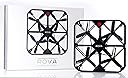
๐ Elevate Your Selfie Game!
The ROVA Flying Selfie Drone is a cutting-edge device designed for capturing high-quality selfies and videos. With a 12MP camera, 1080p video recording at 60fps, and advanced stabilization features, it ensures stunning visuals. The drone boasts a maximum flight time of 16 minutes with two included batteries, and its compact design makes it easy to carry on any adventure. Equipped with obstacle avoidance technology, it guarantees safe flying, making it perfect for both beginners and intermediate users.


| ASIN | B06WVDJYGD |
| Age Range (Description) | Adult |
| Age Range Description | Adult |
| Are batteries included? | Yes |
| Battery Cell Composition | Lithium Polymer |
| Brand | IOTGroup |
| Brand Name | IOTGroup |
| Color | Black |
| Control Type | Remote Control |
| Customer Reviews | 2.6 out of 5 stars 45 Reviews |
| Effective Still Resolution | 12 MP |
| Global Trade Identification Number | 00853968007983 |
| Included Components | ROVA, 2 x battery, charging cradle, USB cable, carry case, MicroSD card, Set up Guide |
| Includes Rechargeable Battery | Yes |
| Includes Remote? | Yes |
| Item Dimensions L x W x H | 8"L x 8"W x 1.4"H |
| Item Weight | 0.63 Pounds |
| Manufacturer | IOT Group USA |
| Maximum Range | 98 Feet |
| Media Type | Micro SD |
| Model Name | ROVA Flying Selfie Drone - Black |
| Model Number | A10-ROVA-BLK |
| Optical Sensor Technology | CCD |
| Part Number | A10-ROVA-BLK |
| Skill Level | Intermediate |
| Special Feature | Obstacle Avoidance, Inbuilt Flash with Camera |
| Special Features | Obstacle Avoidance, Inbuilt Flash with Camera |
| Supported Image Format | JPEG |
| UPC | 853968007983 |
| Video Capture Format | MP4 |
| Video Capture Resolution | 1080p |
A**R
Dangerous! Beware!
Be careful!! The ad makes it look easy to operate from the app, but my first attempt resulted in injury with blood. Indeed, the warning label says do not put fingers in frame while operating, simple enough, and duh. However, when it flew directly at me, I attempted to push one of the corners away and somehow my thumb got sucked into the bladesโthree painfully large gashes in my right thumb, blood everywhere. No drone selfies for me.
J**H
MAJOR PIECE OF CRAP!!
MAJOR PIECE OF CRAP!!! DON'T WASTE YOUR TIME OR MONEY, MUCH better drones out there with full support and quality tested. If drones were new and I was an early adopter, I could be forgiving. But they are not, it's cookie cutter with bells and whistles now, and just starting up should be the basics. I tried for hours, and it NEVER created a wi-fi to join. I tried every combination, followed all setup rules, used iPhone 6, 7+, 10 and a Samsung Note...no WI-FI. Battery charged, nothing. Searched the web...you could not even create a troubleshooting guide? Really? Designed in Australia, manufactured in China, quality tested NOWHERE!!! Build, send and let consumer be the QA? You cannot even test basic startup off the line before shipping for retail?. Thanks for disappointment at Christmas, NO MORE CHANCES FOR ROVA for me. Too many competitors, far better features, easier to control, batteries that won't overheat and a company that will stand behind them longer than 3 months. You guys should try something simpler like making diapers...no electronics or moving parts.
C**.
This is an amazing product! So easy to buy
This is an amazing product! So easy to buy, easy to setup, easy to learn to use and incredibly responsive for easy control while it is in flight. The camera and its view is just spectacular! I highly recommend this product; INCREDIBLE!
C**N
Almost impossible to keep in a hover and fly well
So I was all ready to give a video review of the ROVA flying selfie drone only to find that it appears Amazon has stopped allowing you to do video reviews, so I'm afraid I can't really show the quality you get from the drones camera. Anyway, onto the ROVA drone. It is a quadracopter with all the blades enclosed in a plastic housing so that none are exposed, unlike say what you normally see on the DJI drones. In the box you will find the drone itself, 2 batteries (a nice touch), a battery charger, USB cable for the battery charger, a set of bumpers and a 16Gb micro-SD card with card reader which is another nice little touch. Basically you get everything you need to fly and record video/pictures from the drone in the box. The two batteries take 90 minutes to charge from flat (although there must ship with a charge as the first time I charged them it only took about 15 minutes per battery). Flight time of the drone is the fairly standard 8 minutes per battery on these cheaper type drones. I was surprised there wasn't a hand controller to fly the drone. You need to download an app from the app store (Apple and Android supported) and you control your drone through the app. You connect to the drone via wifi which severely limits the radius to which you can actually fly to roughly 100 feet however in its defense this is sold as a selfie drone and as such you would really only want to fly it between 5 and perhaps 20 feet away from you. This is a different take on drones and not one I've heard before although given the selfie driven world we now live in I can see the thinking behind it. The camera on the drone does allow you to take 1080p video in MP4 format or 12MP JPG stills which isn't too bad. Given that it's a 12MP still sensor you should however be able to get 4K video out of it. It streams to your phone at 720p and the image you see on your phone or tablet screen is nice and crisp (at least in good light. Not so much in low light situations). Since the drone is very light and it was windy the day I received it, I flew my first 20 or so test flights in my basement which has enough room to do so. The instructions state that you shouldn't need to calibrate the drone however there is a way to do it within the app. Set the drone down on a level surface, connect to the drone with your app and hold the onscreen joysticks down and towards the center for a couple of seconds. Just to make sure the drone was correctly calibrated since I was flying indoors I done this every time before each flight. Unfortunately it did not help much. Take-off is simple with a single touch of a button on the screen but controlling the drone was a whole different matter. Unlike more expensive drones like the ones from DJI, this drone doesn't have any sort of GPS built into it, so it cannot however it one spot. You need to fully control the drone using the two onscreen joysticks on your phone/tablet and this is not easy in the slightest. Firstly, even after calibration, the drone has a tendency to drift in one direction. Remember this was being tested in-doors so wind was not a factor at all. So in order to correct the drift you have to apply the correct opposite control on your phone however because the joysticks aren't physical you will overcorrect a lot during your first few flights and end up crashing the drone. Even once you get used to the virtual joysticks however, keeping the drone hovering is very hard as you can't just return the virtual joystick (usually the right hand one) to center due to the drift. I have been flying drones for quite a while now and have a collection of both cheap, mid-priced and expensive drones and this is one of the hardest drones I've ever tried to fly. Even the likes of the Syma drones give you a physical control pad with physical control sticks which makes flying much easier. To be honest, indoors this ROVA drone was very hard to fly. Once I took it outside in breezy (not windy) conditions it became almost impossible to fly. ROVA says that the drone has built in obstacle avoidance technology. If it does then it certainly doesn't work on the drone I got. It also says it has 360 degree video. This is a slight misnomer as the camera isn't a 360 degree camera so what ends up happening is that the drone will rotate to give you your 360 degree video. Unfortunately since it is so hard to fly and keep it in a hover you never really end up with a 360 degree video anyway as the drone will always drift off. At the end of the day, what is really the point of having a drone that is so hard to fly you will give up in frustration? There are much better drones out there for the same or even a cheaper price.
A**H
Good drone
The drone is awesome but the app needs work
A**R
The second one hovered fine, but a strong wind blew it into nearby ...
the first one I got had issues and wouldn't hover in one spot. The second one hovered fine, but a strong wind blew it into nearby woods, and I haven't found it since. oh well.
M**O
Wish I Had Better News
We received the Drone on Thursday. I charged the batteries immediately so that my husband could play with it with the kids on Friday after work. The drone comes with (2) 8 minutes batteries. It also comes with a USB battery charger. The batteries charge in minutes. You know they are charged with the light isn't blinking anymore but stays steady. Putting the battery in the center of the drone was easy. It can only go in one way. The necessary app is free. It loaded in seconds. Once charged and loaded we pressed the red button on the top of the drone and after 2 seconds heard a beep beep just like the booklet stated. My husband started it up and was able to navigate easily through the living room and dining room. It was so fun, there are 4 propellers and they had coupons and papers blowing everywhere. After 2 minutes of seeing how to control the drone (he said it was easy). You can control it with a joystick option or by moving the phone. It also comes with Styrofoam bumpers to keep the Drone from getting damaged he headed outside with my son very excited to see the house and our area from above. The video which I have included below is all we have before the drone got trapped in a tree. It is now not working! The battery is giving it power as the lights go on and we can see the camera from the app but the engines are not making any connection. Sad because it is a really cool product. The drone comes with a case with enough room for the drone, bumpers and batteries. You cannot leave the bumpers on to close the case but this is really cool for traveling. It also comes with a 6GB Micro SD and the San Disk Adapter Card so you can insert the micro and download onto a computer. Hopefully others have much more luck but for us the fun only lasted about 10 minutes in total before the drone was a goner. It was a spectacular 10 minutes though.
C**N
before buying it every thing is suppossed to be simple and easy. what can I do to down load it
HI, I got my Rova some days ago and since then I followed all steps to get I to fly ,and just was frustrating the boolet with instruccions doesent explain for begginners,and so each time I wrote the password OOOOOOOO it said password not correct.And to download Rovas App there is no.qay possible it says it does not exist in your country...what is there possible to do about this...before buying it every thing is suppossed to be simple and easy.what can I do to down load it.
Trustpilot
2 weeks ago
2 months ago