🏓 Elevate Your Game with Every Serve — Don’t Just Play, Dominate!
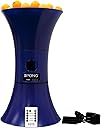
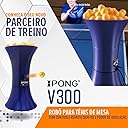
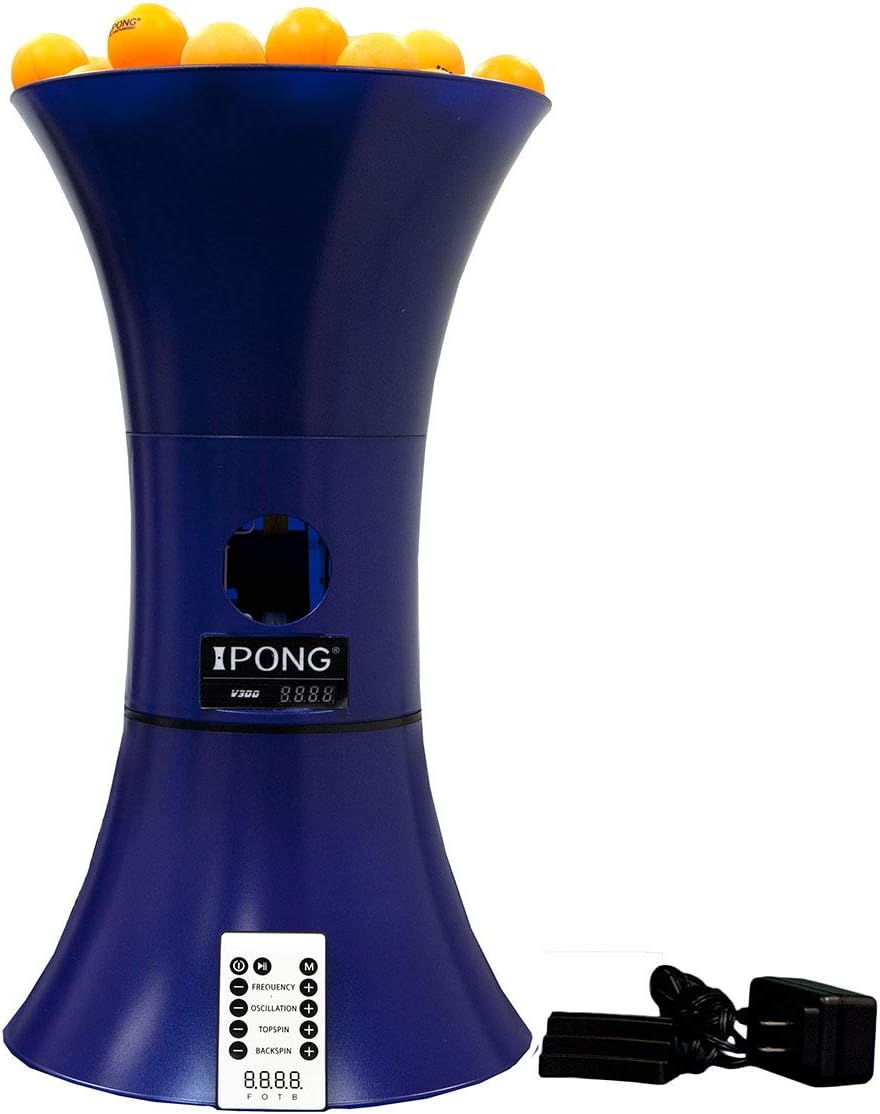
The JOOLA iPong V300 is a compact, metal-framed table tennis training robot designed for solo practice with adjustable ball frequency (12-70 balls/min), spin, and oscillation. Featuring a wireless remote with memory presets, it offers quick assembly and jam-free operation, holding over 100 regulation 40mm balls. Trusted by beginners and mid-level players, it delivers professional-grade training without the pro-level price tag.


| ASIN | B016A7UMV8 |
| Age Range Description | Kid,Adult |
| Base Material | Plastic |
| Best Sellers Rank | #81,750 in Sports & Outdoors ( See Top 100 in Sports & Outdoors ) #27 in Table Tennis Accessories |
| Brand | JOOLA |
| Brand Name | JOOLA |
| Color | Blue |
| Customer Reviews | 3.8 out of 5 stars 827 Reviews |
| Frame Material Type | Metal |
| Global Trade Identification Number | 00610370567883 |
| Included Components | Main Product |
| Is Assembly Required | Yes |
| Item Dimensions L x W x H | 19"L x 10"W x 11"H |
| Item Type Name | table tennis training robot |
| Item Weight | 3.08 Pounds |
| League Name | JOOLA |
| Manufacturer | Sport Squad |
| Manufacturer Part Number | iv3 |
| Material | Metal |
| Material Type | Metal |
| Model Number | iv3 |
| Number of Players | 1 |
| Product Dimensions | 19"L x 10"W x 11"H |
| Recommended Uses For Product | Table Tennis |
| Sport | Table Tennis |
| Sport Type | Table Tennis |
| Team Name | JOOLA |
| Top Material Type | Metal |
| UPC | 610370567883 |
| Unit Count | 1 Count |
| Warranty Description | Standard One Year Manufacturer's Warranty |
J**G
The assembly was very easy and straight forward
Just received my iPong V300 last week. The assembly was very easy and straight forward. I did follow suggestion from some customers and put a smooth tape on the motor top to reduce friction force from the pressure, and I loaded 120 balls and the robot never jammed even once. It worked very smoothly, it can produce topspin, backspin, with different speed, and can oscillate from left to right. Love the remote. It was fun to play and the kids love it too. Compared to some other more advanced products that could easily cost $600 to $2500, this iPong V300 is really a bargain, and it's amazing that the robot can do most of the work, more than enough training for the beginners and mid-level players, for only $119. I'm very satisfied about the product. If you are a pro or advanced player, then spend $2000 to get a sophisticated robot model, otherwise, if you are beginners or mid-level players to play for fun, then this iPong V300 is an excellent choice for you. Highly recommend !
T**K
Nice machine, but instructions could use a helpful upgrade.
The iPong V300 is quite a nice machine. Adjusting spins, oscillation, and frequency is a breeze with the included remote control. I have used the machine for about two weeks now and have had minimal issues. One time, the spinner inside did not work, so no balls would come out. However, that started working again. It is also a challenge at times to get the machine positioned so that the balls hit my side of the table rather than missing (too long) or hitting the net (too short). Overall, the machine is consistent, but the slight variability of the trajectory means that you will get a variety of results. It would have been nice to receive a set of suggestions for settings/placement in the box, so there was less experimentation. Want to return a backspin serve directed to your forehand? Place the machine here and use the following settings. Want to return a looping topspin shot to your backhand? Place the machine here and use these settings. Unfortunately, those suggestions are missing, leaving the user to recreate the wheel. That said, I'm happy with the machine and have had a lot of fun so far. Also, I suggest pairing this machine with the iPong table tennis catch net ( iPong Carbon Fiber Table Tennis Ball Catch Net ) so that when you play 100 balls, you don't have to pick up 100 balls off the floor! Good luck.
A**N
Cheap and worthless!
As an X professional table tennis player I wanted to try this for my son BUT this product should not be in the market period!!, WHY? because it takes the energy and motivation and FUN out of any beginner or intermediate player, it jams continuously and it takes the fun AWAY!!!, this machine needs a lot of upgrading and attention, don’t know why it is still in the market. If I had a ZERO star I would have given it.
T**A
Decent training robot
Intermediate player here, bought it to practice shots and improve my technique. 4 out of 5 stars because I think it did help but here is some feedback. Btw, I bought it in Dec 2023, whatever model version that means. 1. The slowest frequency setting is fast if you're a beginner. Also fast for someone doing focused drills for technique improvement. I'll explain below how I slowed it down a little bit. 2. I have not had a ball jamming issue as much as I see in other comments (very rare). Just be smart about it. The rotating feeder opening should be behind the feeding hole when you fill it with balls. Make sure you're gentle with the rotating feeder disc if you need to adjust its position. Very fragile! 3. The oscillating base sometimes stops randomly for several seconds. 4. You have to play with the top spin and back spin settings a little bit to understand how much and what kind of spin and speed you want without the robot shooting the ball straight out of the table. 5. Definitely buy a net if you want to practice a lot. Saves your back and you don't have to spend too much time collecting balls for the next round. 6. Wish it allowed side spin as well. Here's what I did to slow down the feeder by about 25% (only do this if you know what you're doing and be very gently all throughout). Disassemble the top and bottom conical parts. Also remove the rotating feeder disc very gently (not required, but I did it out of fear of breaking it since its too fragile). Remove the front half of the main body (the side that has the LED screen). You don't need to remove any screws in the entire process. Just depress the the top and bottom clips and separate the front half (be careful not to pull it out too hard, the LED screen cable may break off). Behind the motors you'll see a PCB and 4 connectors on it going to the four different motors. Each connector is labelled on the PCB silk screen. You'll want to disconnect the one that says "MF". For me that was the first connector. Be gentle removing the glue on the connector (and you don't need glue when putting it back). Put a 2Ohm 5Watt resistor in series with the black cable. I just cut the cable, slid heat shrink on either side, soldered the resistor in series, covered the exposed electrical ends with the heat shrink. Be sure you're not using a resistor with less than 5Watt power dissipating capacity. Also, do not put a bigger resistor than 2Ohms (3Ohms may workout, but test it first with all the balls loaded before putting back all the assembly) because you're reducing power going to the feeder disc motor and you don't want it to jam on you with all the balls loaded. Now put back all the assembly in the reverse order. Helped me slow down by about 25% which I could appreciate during my practice sessions. Tested up to 90 balls and it did not jam for me. You're welcome!
S**.
Yep. Keeper.
This thing is great. After the photo and some adjusting we actually moved it to the other side bc he should return to that corner where it was. The thing is a work horse. Came with agitator in place. Loaded it up and non stop fun. Barely ever jams and when it does easy fix. Just don’t load it with spider webbed balls if playing in basement! My seven year old is an addict. He has played non stop Solo for two days now. Got bless! I got a break! The remote could have a better range but he doesn’t care. I start him and he literally plays for hours. He loads 40 or so balls at once. Any more and it slows down and maybe jams. He pauses it to reload but doesn’t get all the other functions and that is fine. Pause and unpause are all he needs for hours of no parent fun. I am really impressed. If the balls go in the deep dark corners of the basement make sure the kids de spider web them and it won’t jam. Others said about jamming but as long as you don’t line up the agitator hole in start with main hole and the kids don’t add webs and gunk attached to the balls it works amazingly well. I upped its power and it is super strong. May not work with a net of you want a true test of its powers... it would need to be on a stool behind the table. Great little robot for the price and I love it bc it has given me a break from him begging to play and he can work it solo. It is a gem. So happy. He got the net and the robot for Christmas and is over the moon. No disappointment. Kudos!!
I**M
it decides that it doesn't feel like oscillating, until it suddenly does
It works well enough, but it still sometimes jams, and then suddenly 3 balls just fall out. Sometimes when you set it to oscillate, it decides that it doesn't feel like oscillating, until it suddenly does. The trajectory is also pretty inconsistent. Sometimes it clips the net, sometimes it hits close to the back of the table, sometimes it hits just fine. It's also a little weird having to adjust the back/top spin together. For example, if you want just a regular shot, you have to set back and top spin to the same speed, and how high you set both of those determines how fast the ball will shoot out. Anything below 3/3 won't clear the net unless you push the machine closer to the net. However, it does work well, and once you figure out the quirks, it becomes great for practicing. I do not regret my purchase, especially considering what other similar machines on the market cost.
M**D
Lots of fun. Great for beginner.
I bought this mainly for my kids so they can play on their own and practice some basic techniques. We have been using it for a couple weeks now and so far I am pretty happy with the purchase. The machine is fairly easily to set up. Once it is set up you will need to learn how to operate the remote. It let you adjust the spin and frequency. I didnt use the oscillation feature much yet but it does work. The hopper holds about 60 to 70 balls. The lowest frequency setting gives you about a 3 minute session. The max frequency actually gets quite fun. It shoots the balls out really fast and it is fun to see the kids try to hit as many as possible. The only thing I didnt like about the machine is its consistency. The first ball always land in the wrong spot and shoot off the table for some reasons. The balls afterward land roughly in the same spot, maybe within a 3in diameter circle. I just wish the landing would get closer to 1 inch so it is more accurate for practice purpose. All in all it is a great price and a great product.
J**Y
Fun for family and exercise for me
I initially purchased iPong V300 to have fun with my family. I used to be an intermediate table tennis player so naturally, I did not have the expectation that I would be using this for myself. Well, it turned out that in the end, I could also use this "toy" to recollect the old days of hard training. Pros: 1. You can adjust the degree of both topspin and downspin. The lowest settings should be acceptable to family members who know no more than swinging the paddle. The highest settings, on the other hand, produce very spinny balls. If you hold the paddle still on the table, you can see the degree of spin by the trajectory of the reflected ball. Interestingly, the robot allows you to set both top- and downspin simultaneously, which yields the kind of spin that you don't see in real games, nonetheless it's fun to play with. 2. You can adjust the frequency of balls spit out by the machine. The lowest settings, again, are very acceptable to amateur family members, while the highest settings give you a very intense workout. *3. There is a remote to control the settings. You can also pause the machine temporarily for a break. 4. It is very easy to remove the machine from the table -- when I would like to play with my family, I simply take it off the table. It is much more convenient than a professional robot for which it's always a pain if you want to get it out of the way quickly so you could play a game with your kid. Neutral: 1. Unlike a professional robot, you have to move the machine around the table once in a while, if you change your settings. I actually am not annoyed by this, understanding that this is a much cheaper alternative, and I always have fun with my son together to find the best spot for the new setting. 2. I feel the trajectories of the balls are somewhat unrealistic, regardless of the settings. This is understandable as this is not a very sophisticated machine. Cons: *1. The remote is rather short-ranged. Often I have to carefully aim it, and/or press the button a couple of times to get the signal registered. It would be much more satisfying if the range of the remote was at least across the table. 2. We rarely use the oscillation function -- you cannot control the range of angles. If your settings make you place the machine on the long side of the table on the other end, chances are that some balls will be shot out of the table from the short side. Overall, I feel this is a great machine that serves its purpose if the buyers understand the features and limitations of the machine.
Trustpilot
2 months ago
2 weeks ago